Set up your online store
- 1
Switch on the add-on
Go to Settings, then Add-ons, and turn on Online store. After that, Online store appears in the Settings menu.
- 2
Choose your address
Open Settings, then Online store. Pick the short name for your link, using 3 to 40 letters, numbers or dashes. Your store lives at app.storebook.co.tz/s/your-name.
- 3
Choose what to show
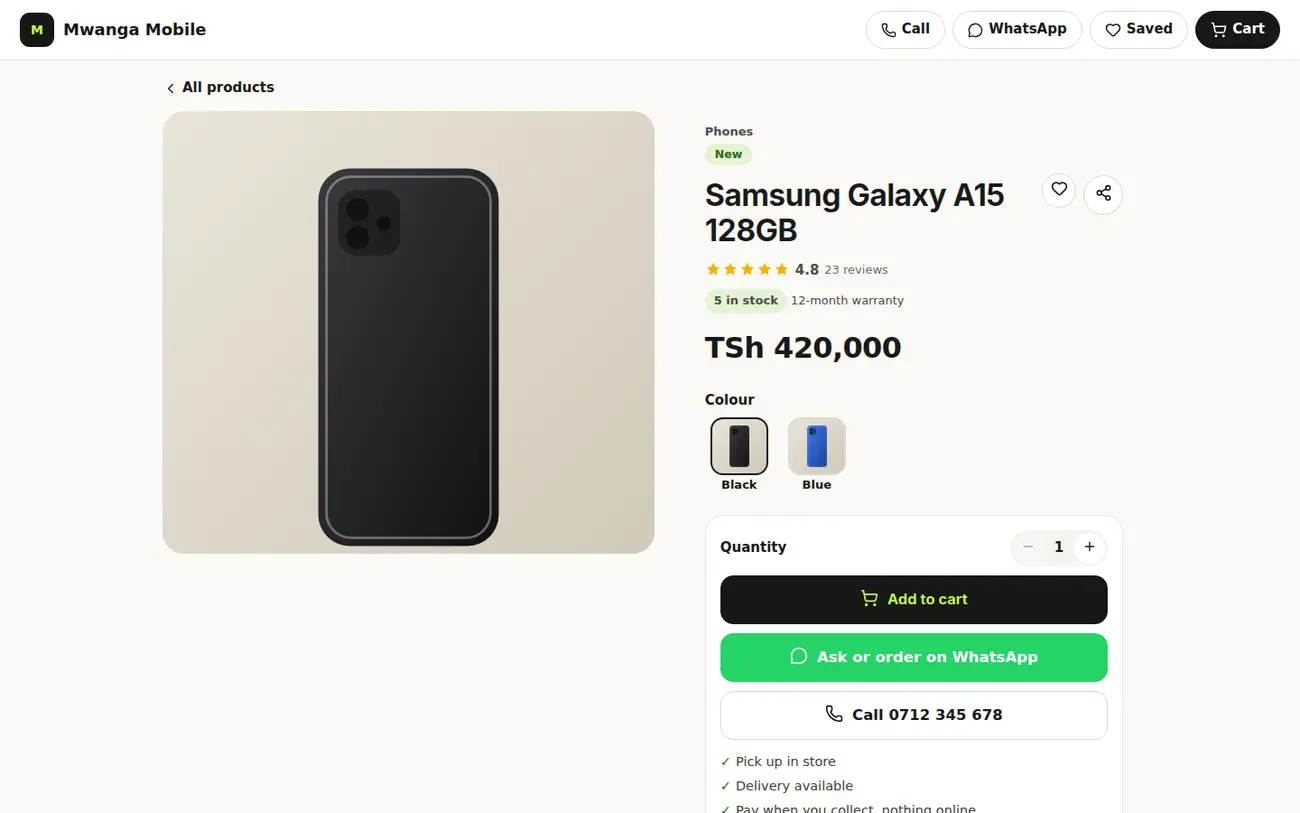
Switch on the products you want customers to see. Add photos and a short description to each one. Products with photos sell better.
- 4
Choose pickup or delivery
Decide if customers collect in the shop, you deliver, or both. For delivery you can set your fees.
- 5
Turn the store on and share it
Use the switch at the top to open your store, then share the link on WhatsApp and Instagram. New orders appear under Online orders.
In the Find a Shop section you can also list your shop in the public directory at storebook.co.tz/find-a-shop, so buyers find you.